Bloomyard
A downloadable game for Windows
English
Bloomyard
I've always loved gardens, so I made a game about building them.
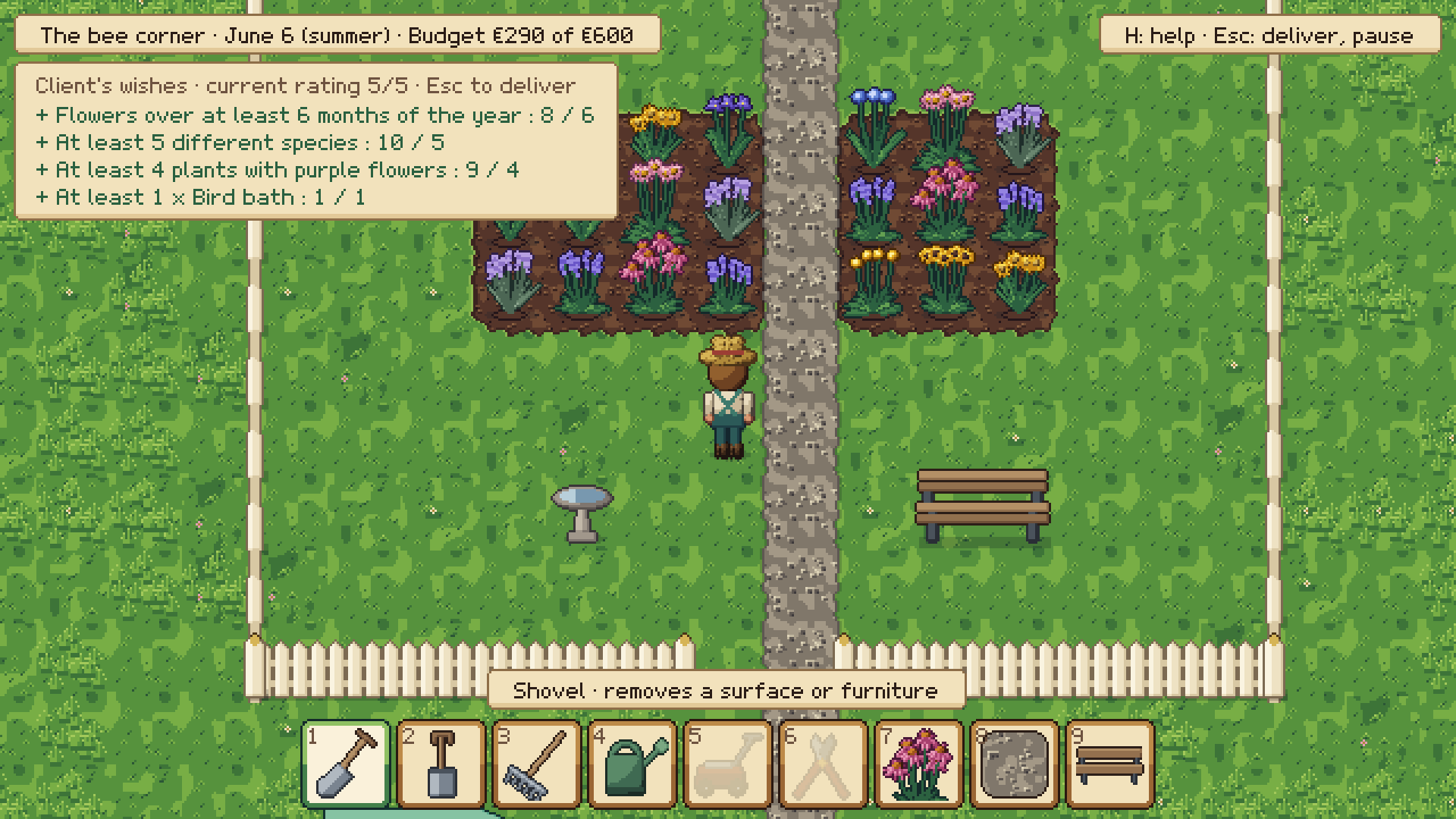
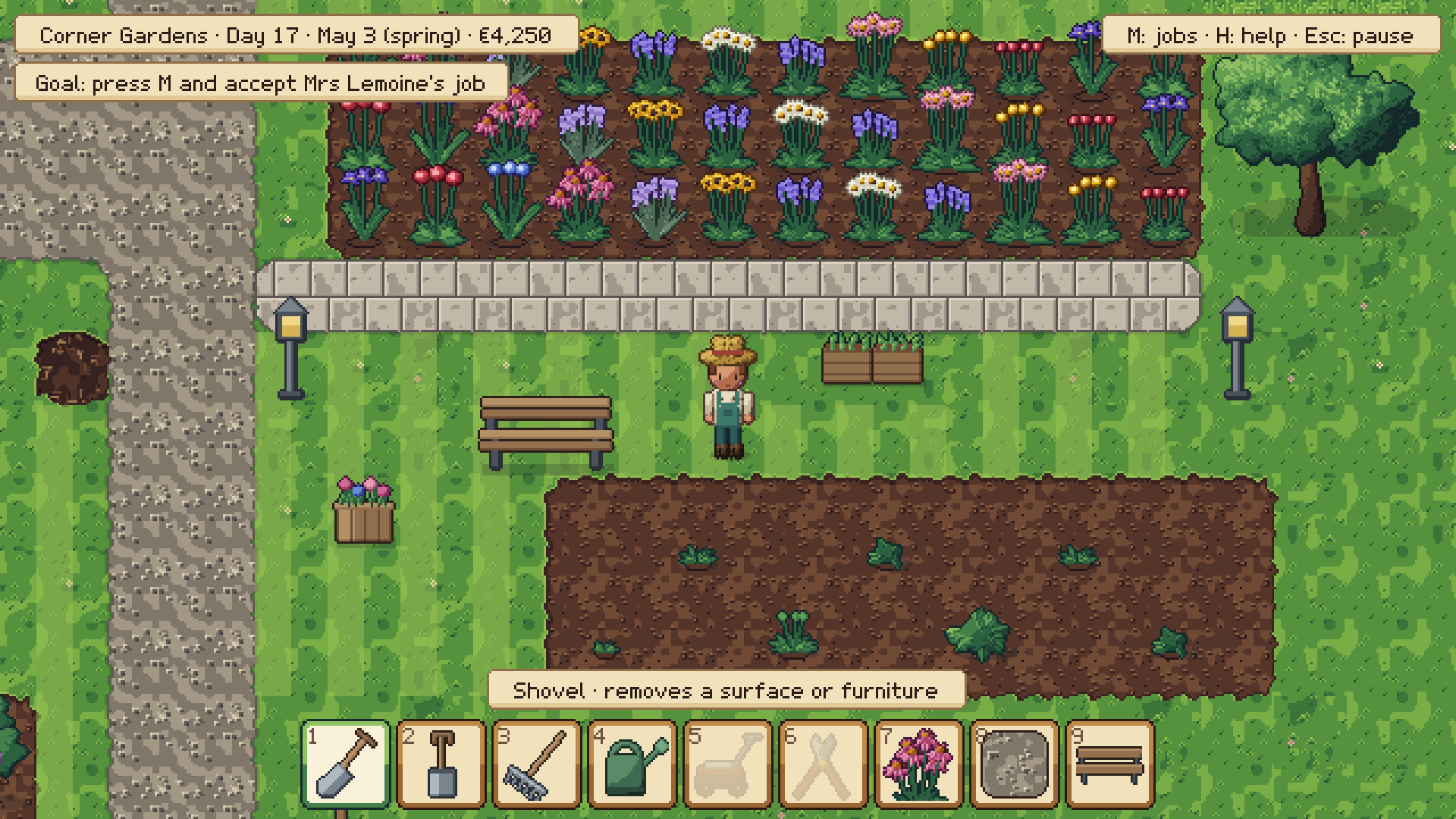
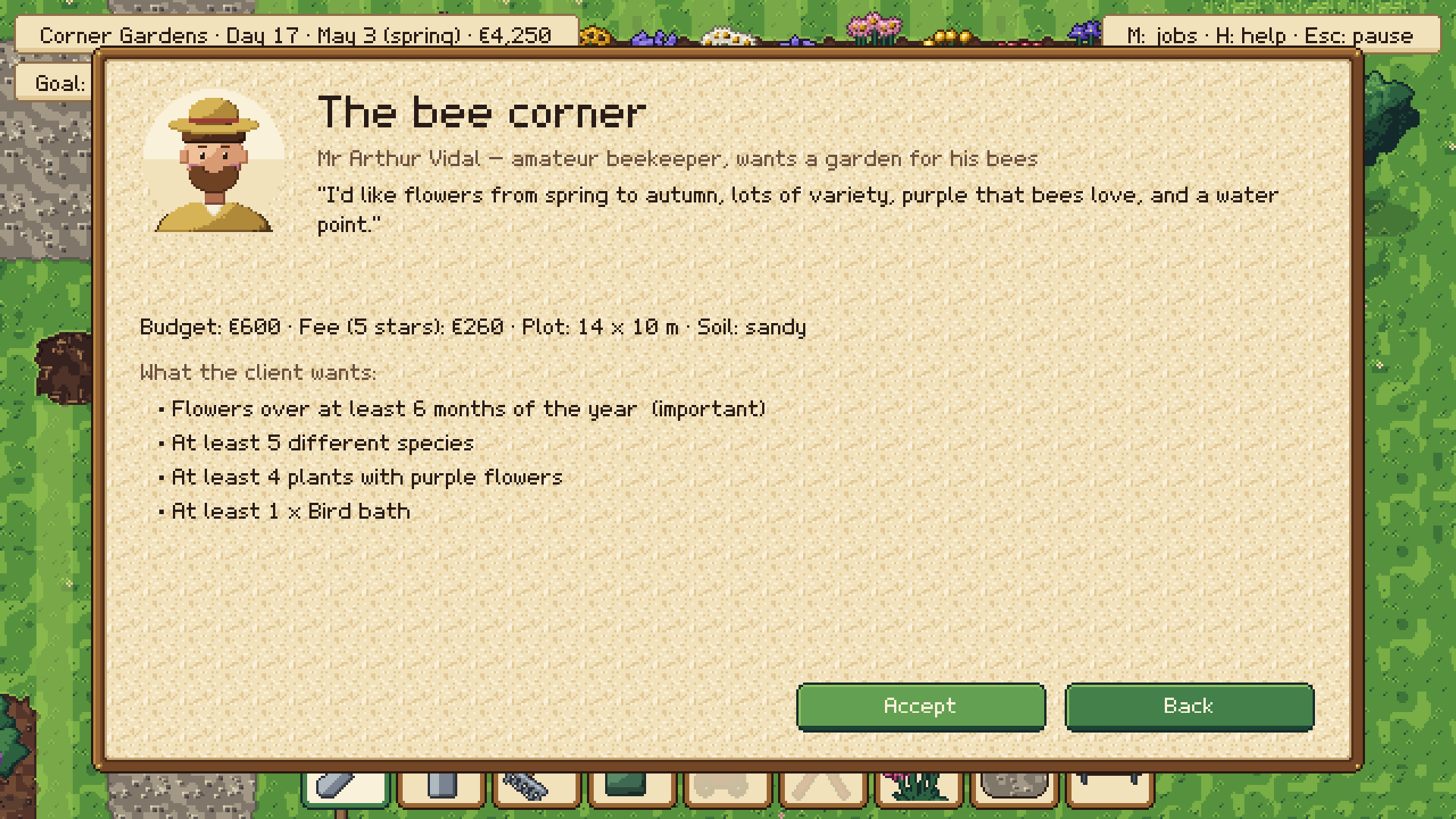
In Bloomyard you run a tiny landscaping business. You start with a shovel, a spade, a watering can and not much money. Clients send you little notes like "I'd love some pink flowers and a bench for my afternoon tea", and it's your job to turn their sad patch of lawn into something they'll be proud of.
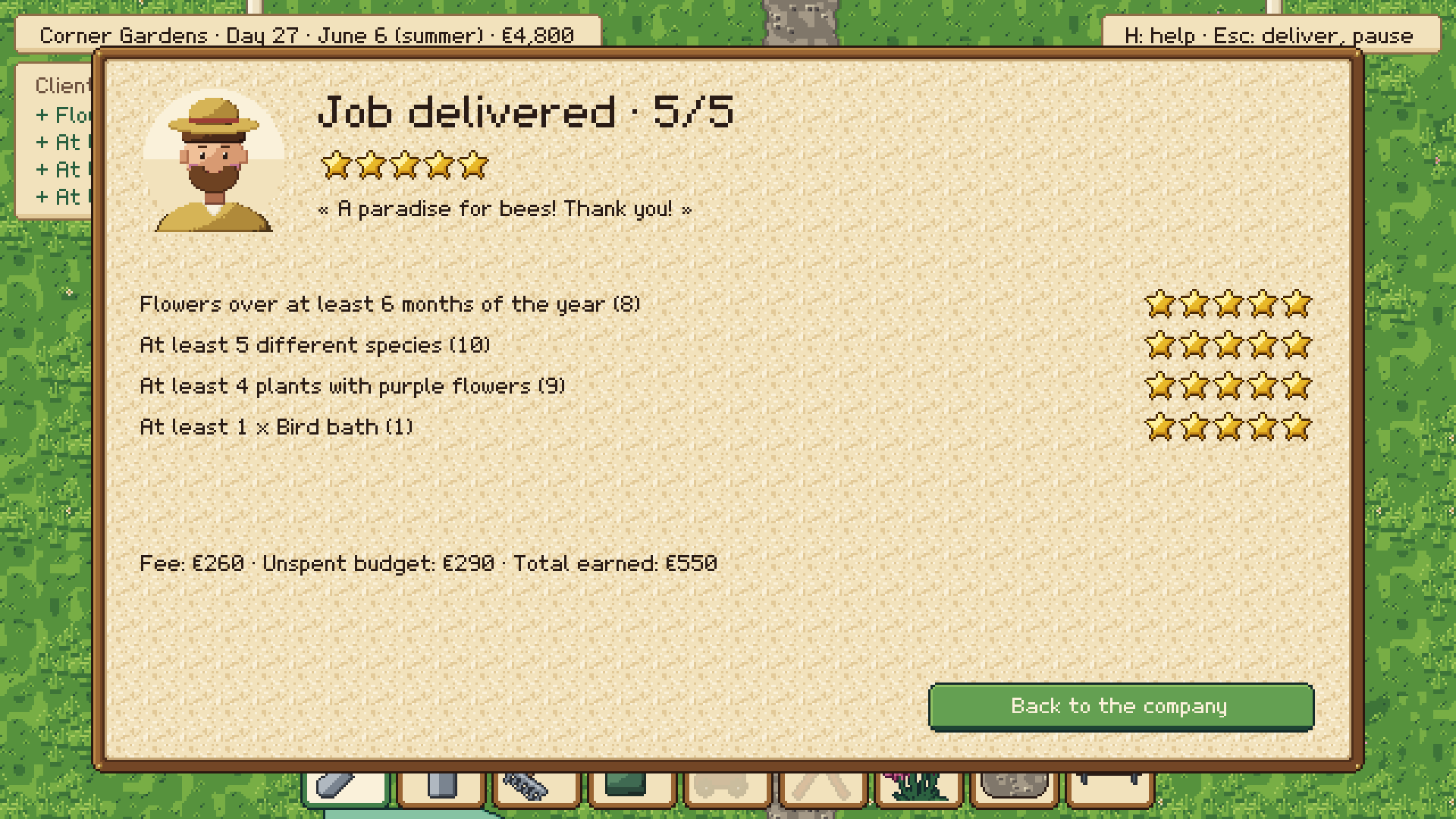
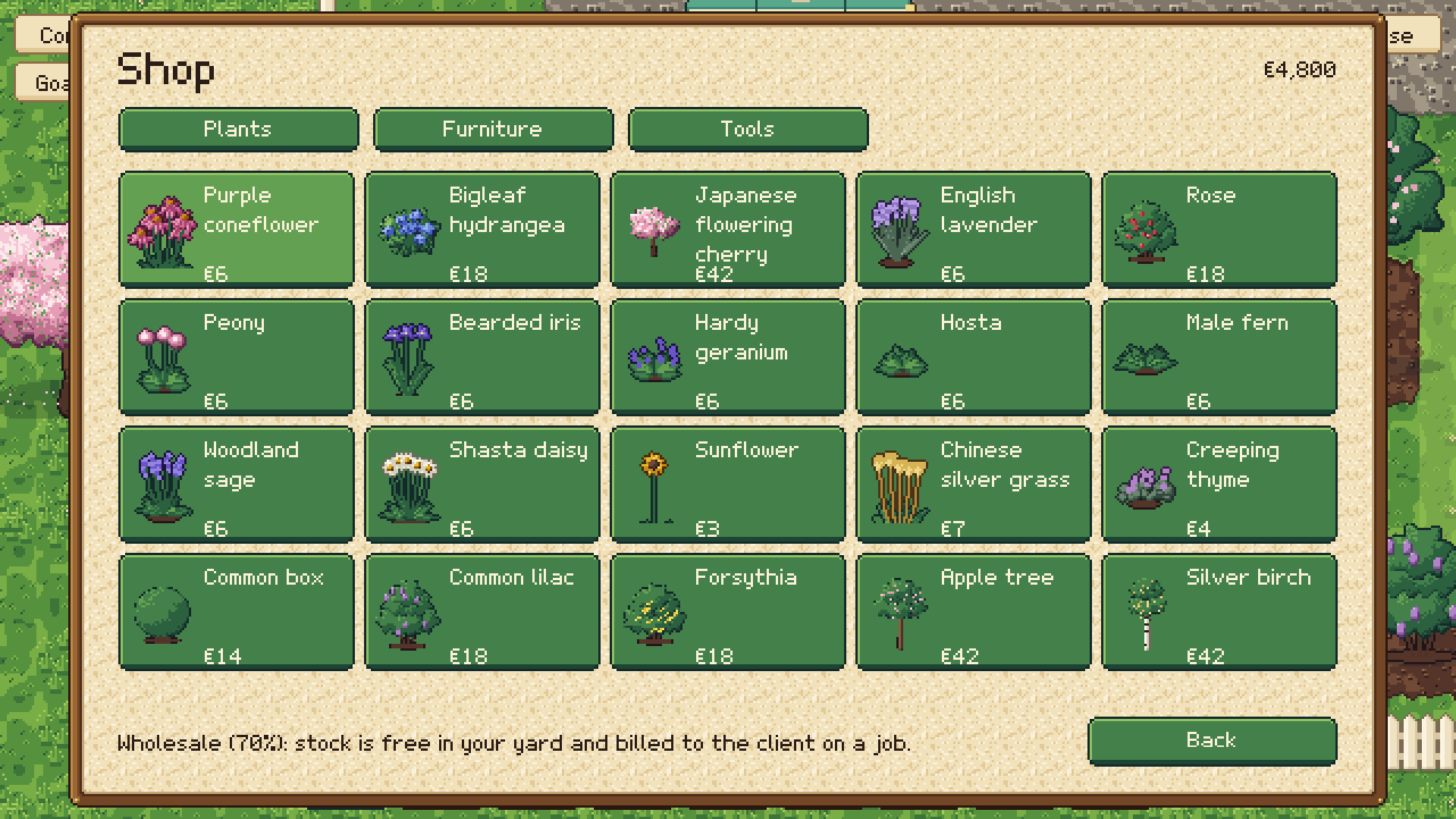
You dig the flower beds, lay out gravel paths or paving, pick the plants (there are 42 of them, from tulips and lavender to apple trees and Japanese maples) and add a few benches, lanterns or birdhouses. While you work, the client's wishes stay on screen so you can check how close you are. When you're happy with it, you hand it over and the client gives you a star rating. Better rating, better pay. And whatever is left in the budget goes into your pocket, so being a bit thrifty pays off.
Back at the workshop you can buy plants in bulk, save up for a lawn mower, and slowly build a reputation that unlocks rarer plants and bigger jobs. There are 12 jobs in total, all the way up to redesigning the town hall's park.
You can play it three ways:
- Cozy: everything grows, nothing dies, you end the day when you feel like it.
- Semi-realistic: seasons change, the clock keeps running, plants care about sun and shade, and clients call you back a week later to show you how the garden is doing.
- Very realistic: rain, frost and heatwaves, soil that dries out, plants that need watering and pruning, and the odd disease. Budgets are tight.
All the art is hand-made pixel art (even the font), the sounds are real recordings, and the music changes with the seasons. It's playable in English and French, with keyboard, mouse or gamepad, and the shortcuts follow your keyboard layout (AZERTY or QWERTY).
Made by Liam RIIS, LVGS (Liam Video Game Studio).
Controls
WASD / ZQSD or arrow keys: walk
Shift: run
1 to 9 or mouse wheel: choose a tool
Tab: switch plant, surface or furniture
Left click or Space: use (hold it to paint several tiles)
Ctrl+Z: undo
M: jobs, E: interact, N: end the day, H: help
Windows 64-bit. Unzip the folder and run Bloomyard.exe.
Français
Bloomyard
J'ai toujours aimé les jardins, alors j'ai fait un jeu où on en crée.
Dans Bloomyard, vous tenez une toute petite entreprise de paysagisme. Au début, vous avez une pelle, une bêche, un arrosoir et pas beaucoup d'argent. Les clients vous laissent des mots du genre « J'aimerais des fleurs roses et un banc pour prendre le thé », et c'est à vous de transformer leur pelouse un peu triste en un jardin dont ils seront fiers.
Vous bêchez les massifs, tracez des allées en gravier ou en dallage, choisissez les plantes (il y en a 42, des tulipes et de la lavande jusqu'aux pommiers et aux érables du Japon) et ajoutez quelques bancs, lanternes ou nichoirs. Pendant le chantier, les souhaits du client restent affichés, pour voir où vous en êtes. Quand vous êtes content du résultat, vous livrez et le client donne sa note en étoiles. Meilleure note, meilleur salaire. Et ce qui reste du budget est pour vous, donc ça vaut le coup de ne pas tout dépenser.
De retour à l'atelier, vous pouvez acheter des plantes en gros, économiser pour une tondeuse et vous faire peu à peu une réputation qui débloque des plantes plus rares et des chantiers plus gros. Il y a 12 missions en tout, jusqu'au réaménagement du parc de la mairie.
Trois façons de jouer :
- Cozy : tout pousse, rien ne meurt, vous finissez la journée quand vous voulez.
- Semi-réaliste : les saisons passent, l'horloge tourne, les plantes réagissent au soleil et à l'ombre, et les clients vous rappellent une semaine plus tard pour montrer comment va le jardin.
- Très réaliste : pluie, gel et canicule, un sol qui sèche, des plantes à arroser et à tailler, parfois une maladie. Les budgets sont serrés.
Tous les graphismes sont en pixel art fait main (même la police), les sons sont de vrais enregistrements et la musique change avec les saisons. Le jeu se joue en français et en anglais, au clavier, à la souris ou à la manette, et les raccourcis s'adaptent à votre clavier (AZERTY ou QWERTY).
Créé par Liam RIIS, LVGS (Liam Video Game Studio).
Commandes
ZQSD / WASD ou flèches : marcher
Maj : courir
1 à 9 ou molette : choisir un outil
Tab : changer de plante, de sol ou de meuble
Clic gauche ou Espace : utiliser (maintenir pour peindre plusieurs cases)
Ctrl+Z : annuler
M : missions, E : interagir, N : finir la journée, H : aide
Windows 64 bits. Décompressez le dossier et lancez Bloomyard.exe.
Download
Install instructions
English
Bloomyard runs on Windows 10 and 11 (64-bit). There's nothing to install and you don't need any extra software.
- Download Bloomyard V1.0.zip.
- Right-click the file and choose Extract All. Don't run it from inside the zip, it won't work properly.
- Open the Bloomyard V1.0 folder and double-click Bloomyard.exe.
The first time you launch it, Windows may show a blue "Windows protected your PC" message. That's normal for small indie games that aren't signed. Click More info, then Run anyway.
Your saves are stored in C:\Users\<your name>\AppData\LocalLow\Bloomyard Studio\Bloomyard. They stay there if you update the game, so you can just replace the folder with a newer version.
To uninstall, delete the Bloomyard V1.0 folder. If you also want to remove your saves, delete the folder above.
If the game doesn't start, make sure your graphics drivers are up to date. Any graphics card from the last ten years or so should be fine.
Français
Bloomyard fonctionne sur Windows 10 et 11 (64 bits). Il n'y a rien à installer et aucun logiciel en plus à ajouter.
- Téléchargez Bloomyard V1.0.zip.
- Faites un clic droit dessus et choisissez Extraire tout. Ne lancez pas le jeu directement depuis le zip, ça ne marchera pas bien.
- Ouvrez le dossier Bloomyard V1.0 et double-cliquez sur Bloomyard.exe.
Au premier lancement, Windows peut afficher un message bleu « Windows a protégé votre ordinateur ». C'est normal pour les petits jeux indépendants qui ne sont pas signés. Cliquez sur Informations complémentaires, puis sur Exécuter quand même.
Vos sauvegardes sont rangées dans C:\Users\<votre nom>\AppData\LocalLow\Bloomyard Studio\Bloomyard. Elles restent là quand vous mettez le jeu à jour, il suffit donc de remplacer le dossier par la nouvelle version.
Pour désinstaller, supprimez le dossier Bloomyard V1.0. Si vous voulez aussi effacer vos sauvegardes, supprimez le dossier indiqué plus haut.
Si le jeu ne démarre pas, vérifiez que les pilotes de votre carte graphique sont à jour. N'importe quelle carte graphique d'une dizaine d'années ou moins devrait suffire.
Leave a comment
Log in with itch.io to leave a comment.